palm -> android
Mar. 15th, 2009 10:37 pm![[personal profile]](https://www.dreamwidth.org/img/silk/identity/user.png) kirkcudbright
kirkcudbrightI finally drank the google kool-aid, and got a G1 (google phone).
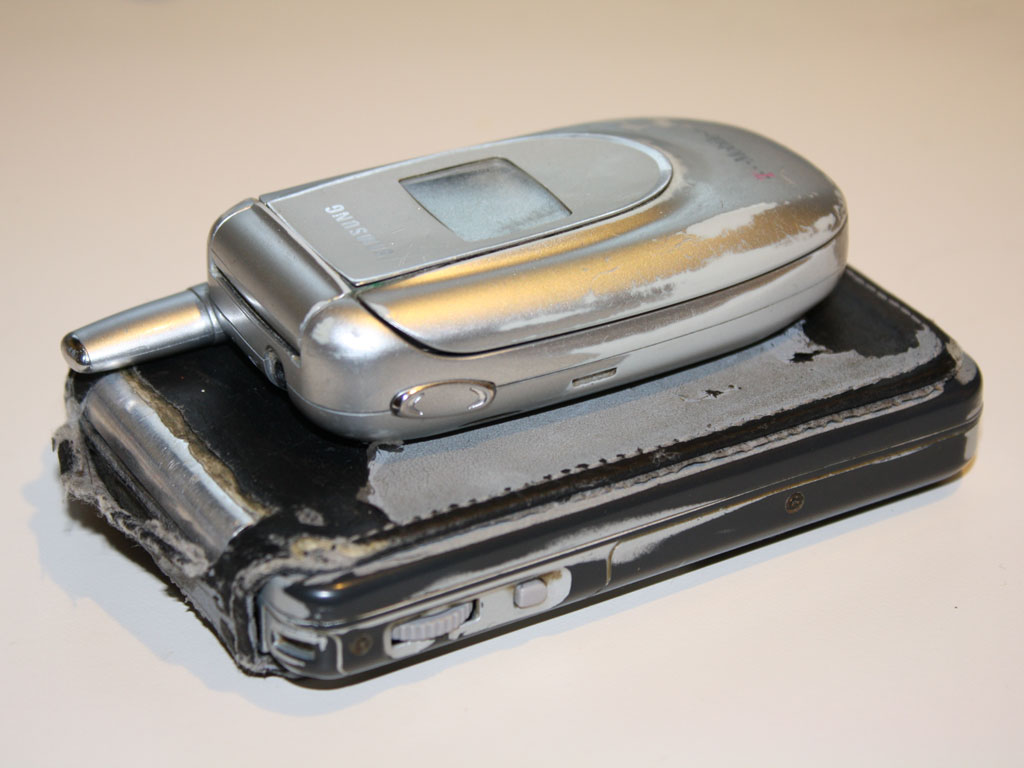
My handset was old and basic, and the antenna was in danger of cracking and breaking off. But the thing that really pushed me over the edge was that my PDA went non-linear about a month ago - the digitizer is not accurately reporting the position of the stylus, and the problem is most acute at the bottom, in the graffiti area. Since I use a Fitaly keyboard, where precise positioning is critically important, it's bordering on useless to me now.
The thing is, after almost a decade on PalmOS devices, I have a lot of data I need to transfer to this device. For instance, for Calendar data, the Palm desktop will only export to .dba format, and Google calendar can't import that. The common advice is to use Yahoo calendar to import the .dba, and export to .csv, to import into Google calendar. However, Yahoo made a complete hash of it - it completely randomized the data, in a different way each time.
It astonishes me that a) Google calendar doesn't have a Palm import option, b) failing that, there isn't a simple app or perl script that will convert formats.
It would also be nice if I could export my Palm Address book. The Android Contacts manager only wants to import from the SIM card, and I only kept a handful of numbers on the phone itself.
Finally, I'm looking for a replacement for Handy Shopper - the app that immediately doubled the value of my Palm. There are plenty of shopping list apps for Android, and every one I've tried Sucks, in really egregious, unacceptable ways. I don't really want to have to become a UI developer, but it's going to be tough to live without this one.

My handset was old and basic, and the antenna was in danger of cracking and breaking off. But the thing that really pushed me over the edge was that my PDA went non-linear about a month ago - the digitizer is not accurately reporting the position of the stylus, and the problem is most acute at the bottom, in the graffiti area. Since I use a Fitaly keyboard, where precise positioning is critically important, it's bordering on useless to me now.
The thing is, after almost a decade on PalmOS devices, I have a lot of data I need to transfer to this device. For instance, for Calendar data, the Palm desktop will only export to .dba format, and Google calendar can't import that. The common advice is to use Yahoo calendar to import the .dba, and export to .csv, to import into Google calendar. However, Yahoo made a complete hash of it - it completely randomized the data, in a different way each time.
It astonishes me that a) Google calendar doesn't have a Palm import option, b) failing that, there isn't a simple app or perl script that will convert formats.
It would also be nice if I could export my Palm Address book. The Android Contacts manager only wants to import from the SIM card, and I only kept a handful of numbers on the phone itself.
Finally, I'm looking for a replacement for Handy Shopper - the app that immediately doubled the value of my Palm. There are plenty of shopping list apps for Android, and every one I've tried Sucks, in really egregious, unacceptable ways. I don't really want to have to become a UI developer, but it's going to be tough to live without this one.


![[identity profile]](https://www.dreamwidth.org/img/silk/identity/openid.png)
no subject
Date: 2009-03-16 04:17 am (UTC)no subject
Date: 2009-03-16 04:41 am (UTC)no subject
Date: 2009-03-16 04:31 am (UTC)I'm also annoyed with Google Calendar for not supporting PalmOS.
If you don't mind paying ($30) for Palm software you'll use once, Goosync (http://www.goosync.com/UpgradeDetail.aspx) can help with moving your datebook (up to 365 days) and contacts online to Google Calendar and Contacts. It runs on your PDA (so you can sync from anywhere). It doesn't require your password for Google, instead you login to Google and authorize the access (which lasts until you revoke it).
There's also the commercial app CompanionLink (http://www.companionlink.com/) which runs on your desktop computer. Also $30, but they have a 14-day demo. (I haven't tried it because the app wants my password for Google). They also have a version for Android.
There's also the freeware GCalSync, but I never got it to work well.
http://www.gcalsync.com/ (last updated 2006)
http://code.google.com/p/gadjet/ (last updated 2007)
(I'm not sure how these two projects are related)
no subject
Date: 2009-03-16 05:37 am (UTC)there's one for the nokia 8x0 tablets... (garnet vm?)
and there's even one for iPhone, but not for sale yet, due to Apple's rules. can't wait.
there's also an app called "missing sync" that might help getting the data out of your palm
when i moved from one pda to another, i wrote a script to convert the format from one CSV to filters to another, such that i got the data fields where i needed them. might be worth a hack.
#
no subject
Date: 2009-03-17 04:19 am (UTC)no subject
Date: 2009-03-16 12:17 pm (UTC)no subject
Date: 2009-03-16 02:38 pm (UTC)this may not be too helpful, because it's pretty roundabout, but...
on linux, IF you can get syncing to work, you can sync your palm's contact and calendar DB to evolution. evo, with the help of a plugin or two, will export into standardized formats (vcard and .ics, if i remember correctly).
you're still not completely done, because you're going to want to massage the datafiles by hand in order to get them into the format that google *really* wants. i suggest creating a couple of dummy entries in google and exporting them, then using that as a model to massage the evolution output files. ISTR the massaging wasn't hard (a couple of simple find-and-replace operations, or load-into-spreadsheet, swap some columns around, and export to csv again).
there's also a couple of plugins for thunderbird that will talk to google contacts directly, but i don't think that helps because i don't know what the palm-to-thunderbird conduit would look like.
no subject
Date: 2009-03-16 02:40 pm (UTC)however, if you know java, it is dead simple to learn the API well enough to be able to write your own application. it took me no more than a weekend to rough out my first app.
no subject
Date: 2009-03-17 02:32 am (UTC)I don't doubt my ability to become an Android developer, but I don't really need (want) another hobby at this point. But yeah, point taken.
followup for posterity
Date: 2009-03-23 07:48 am (UTC)Most Palm->Google calendar solutions require giving someone money
and/or access to your private data.
CPAN has a Palm Datebook parser, but only for data in .pdb format, not
.dat or .dba (the only formats Windows Palm Desktop supports).
Orthogonally, Google supports iCal and .csv import formats, but they
don't fully document the .csv they support. At a minimum, they
support Outlook and Yahoo Calendar, neither of which has a published
format that I could find, and both of which are reported to not
support recurring events - they create separate event entries for each
occurence; this is a major problem.
iCal is also a text format, perhaps a bit harder to read, but it's the
only Google Calendar export format, and I can see how it handles
recurring events.
I found one python script that handles .dat files, and I got partway
through hacking it to output iCal - got bogged down in recurring
events.
The eventual gross hack I came up with was to sync to Linux. The
gnome-pilot conduit is hard-wired to sync to the Evolution email
client, so I had to set that up. The sync took bloody forever,
apparently running at 57600 baud serial speed, even over USB. Once it
was all in Evolution, have it Publish calendar information to a file.
This file proved too big for Google to handle, so I manually chopped
it into 5 pieces - about 700 events in most files, but almost 1400
events in one - 3444 total events. Imported each one of these in
turn, losing 2 events in the process (Google didn't say which ones, or
what the problem was.)
Fin, 2am, then start synching to the phone. Looks like it took over
an hour.
Noticed this morning that almost everything had a 5-minute alarm, even
all-day recurring events like IETF, and even some events imported from
the Susboid calendar. Two problems here - Google calendar default
alarm was applied to most imported events, and phone calendar
default alarm was applied to new events synched from the public
calendar. So I have to turn off default alarms on both, blow away the
Google calendar, re-import all events, and re-sync to the phone.
(This seems to have stripped alarms off of all events that previously
had them, sigh.)